
How to Sell Feet Pics Online Safely: A Beginner's Privacy Guide
Seven practical steps to protect your identity, your photos, and your earnings before you upload your first feet pic.
Thousands of people now sell feet pics online as a side income, but the creators who last are the ones who treat privacy as part of the job from day one. This guide walks you through the exact steps to protect your identity, your photos, and your money before you upload anything.
Why Privacy Matters Before Your First Upload
Once a photo is online, you cannot fully take it back. Buyers can screenshot, files can be reposted, and small details in the background can reveal more than you intended. The good news is that a few simple habits remove almost all of that risk:
Keep your real name, face, and location out of everything you post.
Sell through a platform that handles payments and delivery for you.
Decide your boundaries before the first custom request arrives.
New here? Start with our overview of how Footography works, then come back to this checklist.
1. Build a Separate Creator Identity
Your creator account should never connect back to your personal life. Before you sign up anywhere, set up a few things that exist only for this side income:
A new email address that is not linked to your real name or your other social accounts.
A creator name you have never used anywhere else. Avoid nicknames friends or family would recognise.
Separate social profiles if you plan to promote your work, so followers can never click through to your personal pages.
It takes about twenty minutes, and it is the single biggest thing you can do to stay anonymous.
2. Remove Location Data From Every Photo
Most phones save hidden information inside each picture, called EXIF data. It can include the exact GPS coordinates where the photo was taken, the date, and your phone model. If you share an original file, a curious buyer could find your home address in seconds.
Turn off location tagging in your camera settings, and use an editing or export step that strips metadata before you upload. Reputable platforms process images on upload, but it is safer not to rely on that alone.
3. Keep Identifying Details Out of the Frame
Feet photos feel anonymous, yet backgrounds often give people away. Before you shoot, check the frame for:
Distinctive tattoos, birthmarks, or scars that someone could recognise.
Jewellery, nail art, or shoes that also appear on your personal social media.
Recognisable rooms, windows, mail, or anything with writing on it.
Reflections in mirrors, glass tables, or phone screens.
A plain sheet, a rug, or a neutral wall makes a clean background that also looks more professional.
Does your face ever need to appear?
No. Buyers in this niche are paying for foot photography, not for your face. Many successful creators never show anything above the ankle.
4. Watermark Every Preview
Content theft is the most common problem new sellers face. A small, semi-transparent watermark with your creator name on every preview image makes reposted copies far less valuable and points people back to your profile. Place it where it is hard to crop out, close to the centre of the image rather than in a corner.
5. Only Accept Payments Through the Platform
Scammers often ask creators to send photos first and pay later, or to move the conversation to a payment app. Both are red flags. When you sell through a marketplace with built-in checkout, the buyer pays the platform and you receive a trackable payout, so you never have to share your bank details or real name with a stranger.
If a buyer insists on paying outside the platform, treat it as a scam and stop replying.
6. Set Clear Boundaries for Custom Requests
Custom requests can be the most profitable part of selling foot photos, but decide your limits in advance. Write a short list of what you will and will not create, put a price on each type of request, and politely decline anything that makes you uncomfortable. You never owe a buyer an explanation.
7. Lock Down Your Accounts
Protect the account that holds your earnings the same way you protect online banking:
Use a long, unique password stored in a password manager.
Turn on two-factor authentication wherever it is offered.
Check whether your creator email has appeared in a data breach using Have I Been Pwned.
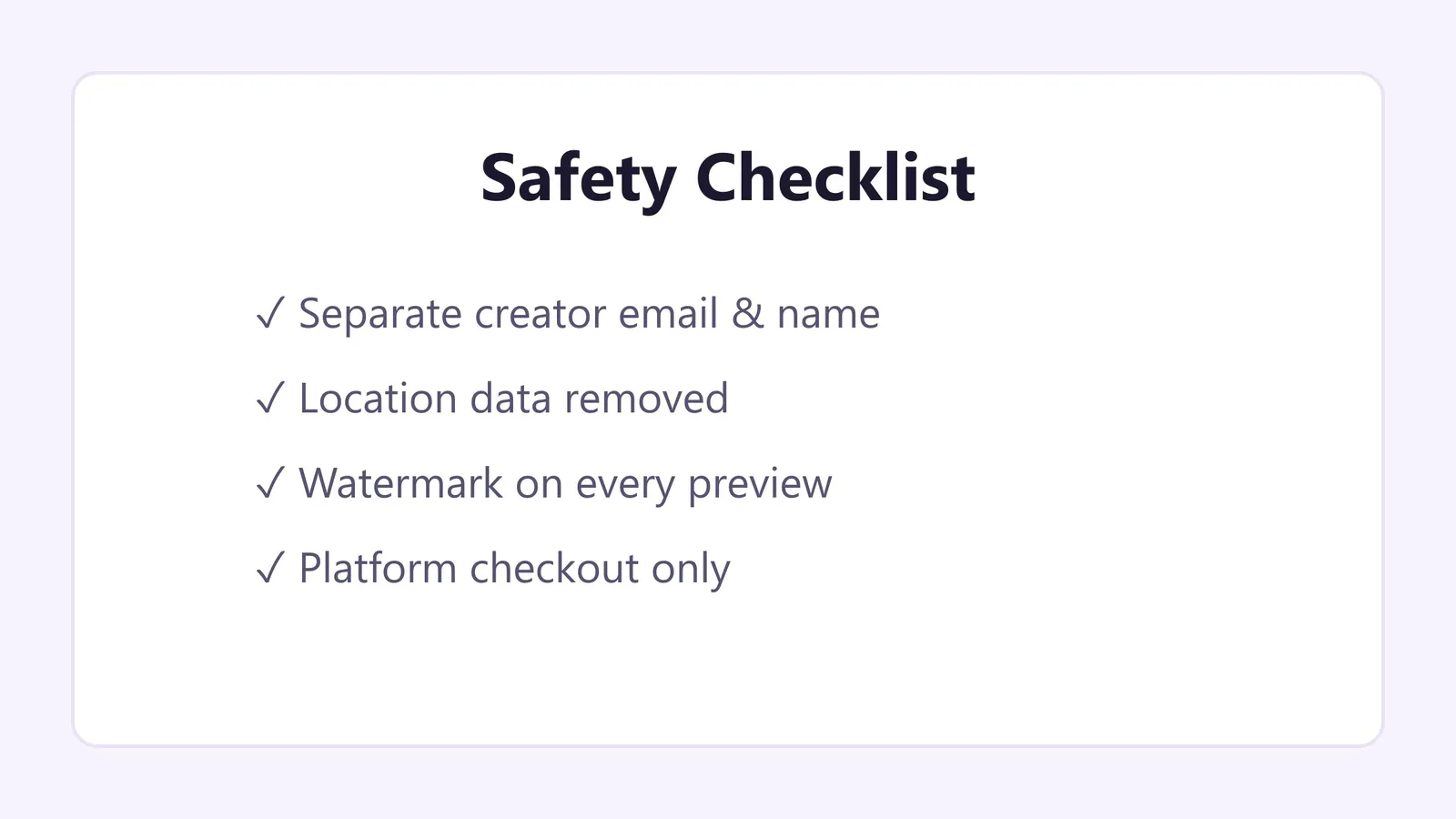
Your Quick Safety Checklist Before You Post
Run through this list every time you upload a new set:
Location services are off and metadata has been removed.
Nothing in the background could identify you or your home.
Every preview carries your watermark.
Prices are set and payments only go through the platform.
You know which custom requests you will accept.
Where to Start
A dedicated marketplace makes most of these steps easier because privacy tools, watermarking, and secure checkout are built in. Footography was designed around exactly these concerns: you choose a creator name, control who can buy, and get paid through a protected checkout. You can see the full process in our step-by-step overview or read more about this guide.
When you are ready, open your free Footography account, upload a small starter set, and apply everything in this guide from your very first photo. Privacy is not something you add later. It is the foundation that lets you sell feet pics online with confidence for years.